Add a source
A Source is a configured connection to an external system. Every API call Integriq makes — through a synchronization, an endpoint proxy, or a scheduled job — references a Source for the base URL, authentication, and connection defaults.
Goal
By the end you will have created a Source pointing at an external REST API, wired its authentication to a credential held in the vault (so no secret is stored in the Source), and confirmed the connection by running a test call.
Prerequisites
-
You have completed Open Integriq for the first time.
-
You know the base URL of the external system and one valid endpoint to test against.
-
You have a vault credential for the external system, or the rights to create one. The recommended pattern is to never store the secret in the Source — keep it in OpenRegister's credential broker and reference it. See Sources → Authentication for the full picture. In short:
- For a catalogued SaaS (Mollie, KVK, GitHub, …), create a brokered credential for that provider and reference it at the top level — the call is proxied and the secret never enters Integriq.
- For an arbitrary or self-hosted host, create a credential with a
generic-*(inject-only) provider — the secret is resolved from the vault and injected app-side.
In both cases: note the credential's UUID and add
openconnectorto its allowedApps.
Steps
-
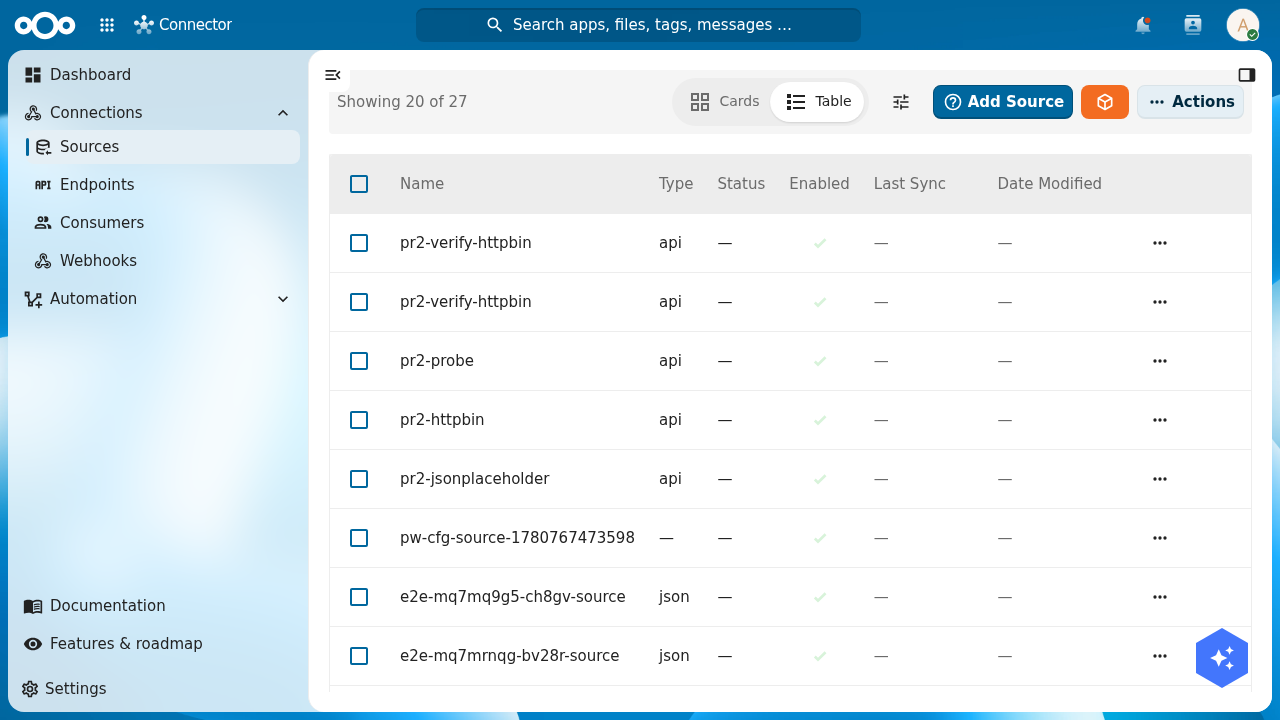
From the navigation, open Connections → Sources, then click Add Source.
-
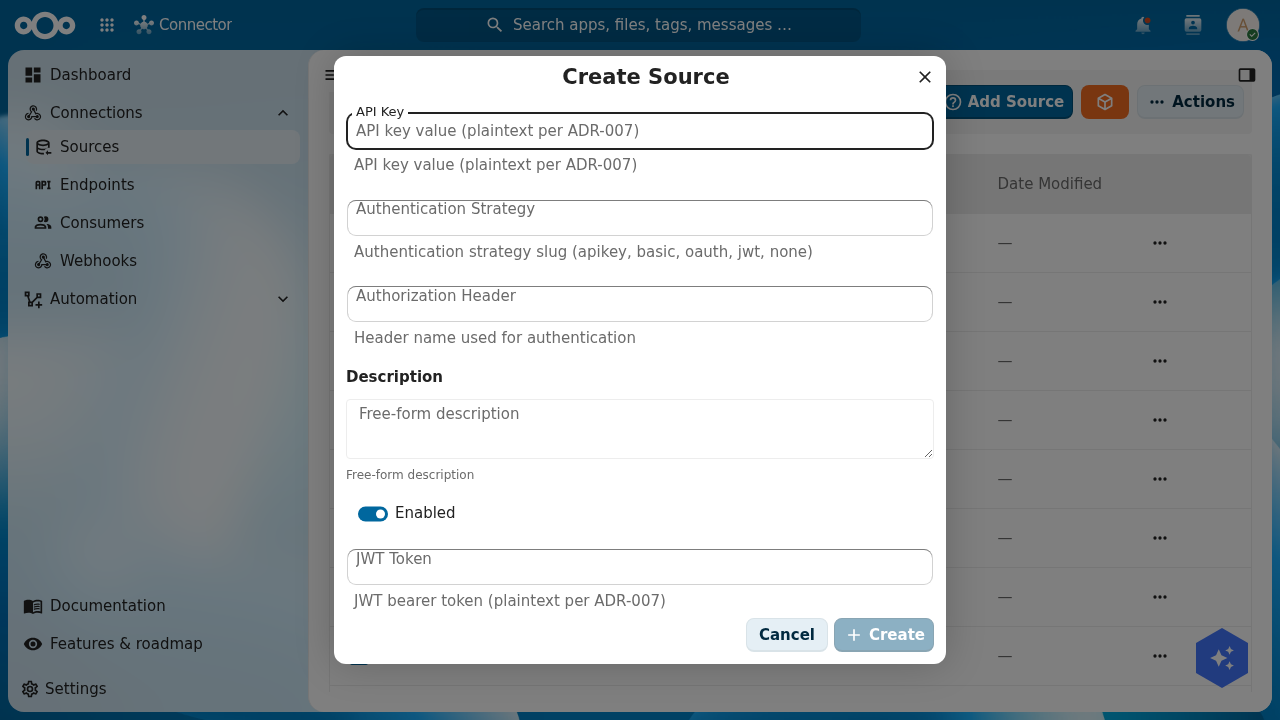
Fill in the basics in the Create Source dialog: a clear Name (it appears in dropdowns when you build mappings and syncs) and the Type (
apifor most REST APIs,xml/soap/ftpfor the other source kinds). You set the Location (base URL) on the detail page after saving.The dialog also exposes plaintext API Key, Password, Client Secret and JWT Token fields (marked "plaintext per ADR-007"). Leave these empty for a secure setup — you will reference the vault credential in the next step instead of embedding a secret here.
-
Save. The Source appears in the list. Open its detail view and go to the Configuration tab to set the Location (base URL) and the authentication. Point
authenticationat your credential instead of an embedded secret.For an arbitrary / self-hosted host, place the credential reference at the secret's own position and let a header template read it back:
{"location": "https://api.example.org","configuration": {"authentication": {"type": "apikey","apikey": { "credentialRef": { "credentialId": "<your-credential-uuid>" } }},"headers": {"Authorization": "Bearer {{ source.configuration.authentication.apikey }}"}}}For a catalogued SaaS, reference the credential at the top level of
authenticationinstead — the whole call is proxied through the broker:{"configuration": {"authentication": { "credentialRef": { "credentialId": "<your-credential-uuid>" } }}}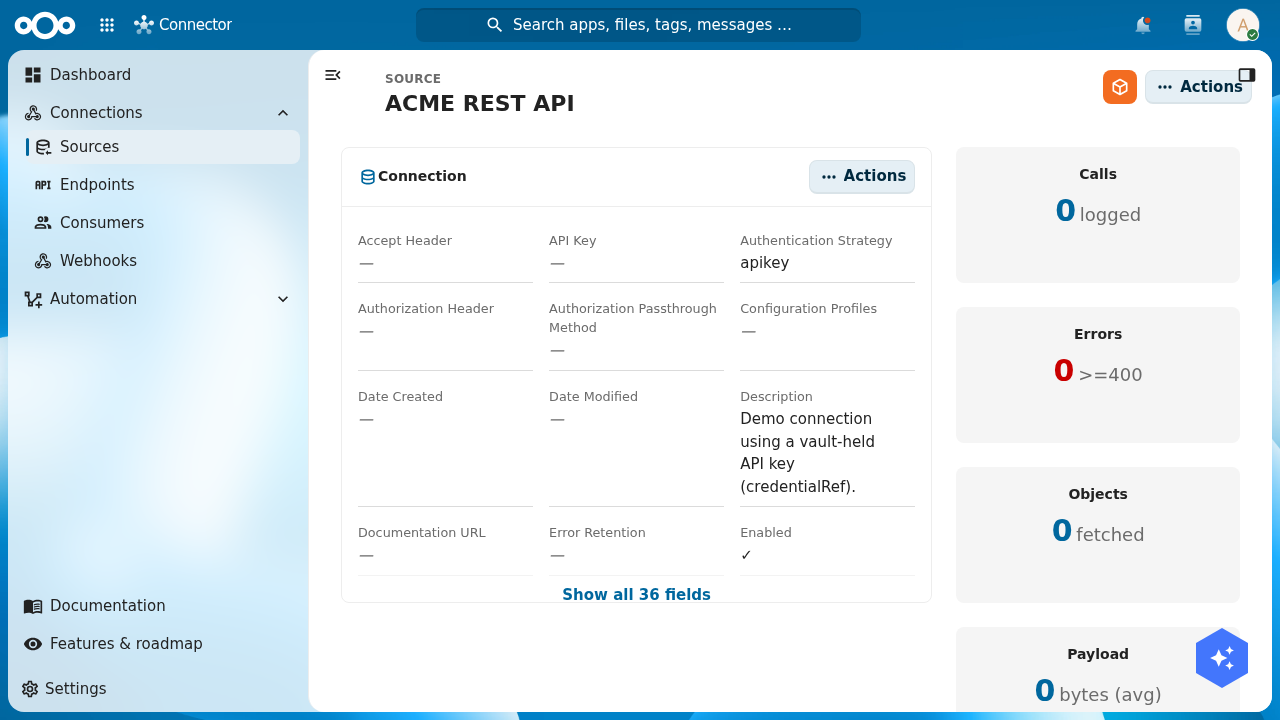
-
Open the Test action on the source's detail page. Enter a known-good path (e.g.
/healthor any read-onlyGET) and run the call. The right-hand panel shows the response code, headers and body — confirming the source is reachable and that the vault credential was resolved and injected (a 2xx upstream status). The secret itself never appears in the Source, the logs, or the response metadata.
-
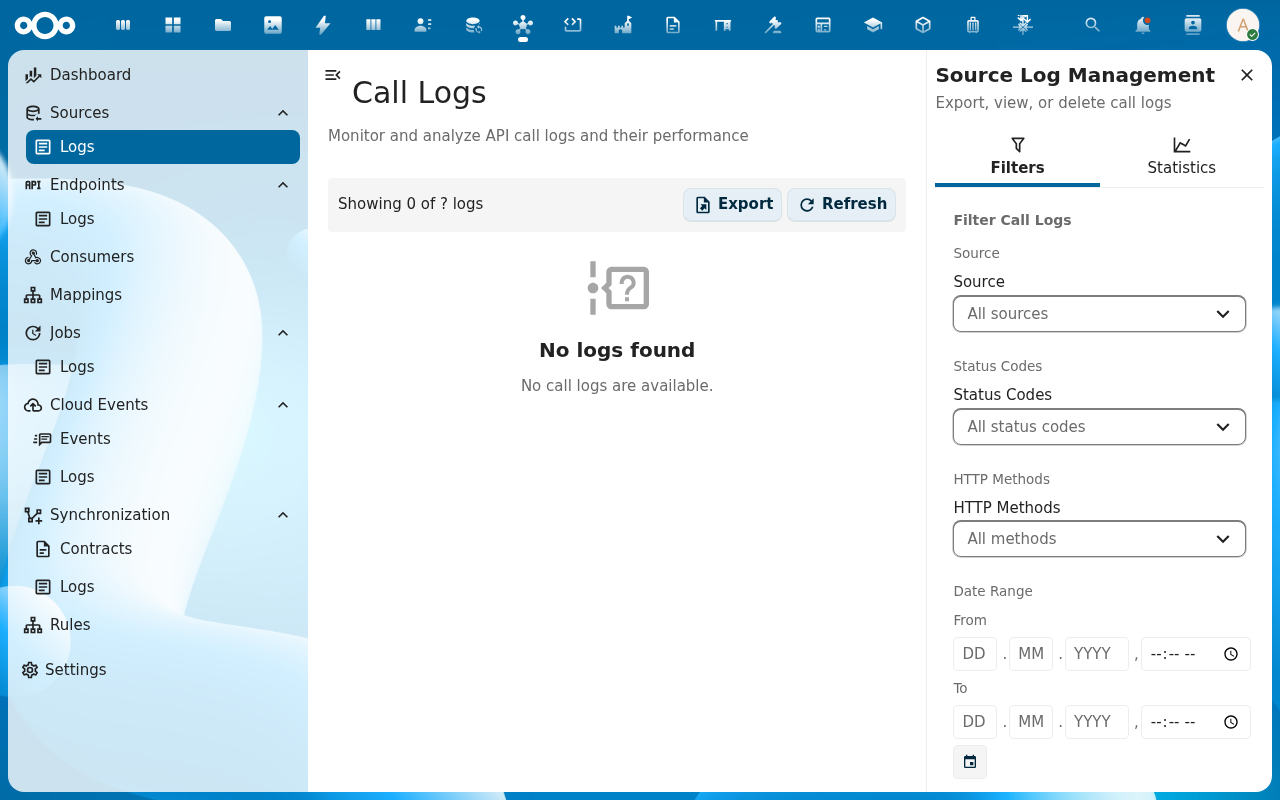
The call is recorded in the Source Logs for that source. Open the Logs sub-entry under Sources in the navigation to confirm the call was logged with the response code you expected.
Verification
You are done when: the source appears in the Sources list, its authentication holds only a credentialRef (no embedded secret), a test call against a known-good endpoint returns a 2xx response, and that call shows up in the Source Logs with the same status code.
Common issues
| Symptom | Fix |
|---|---|
Test call returns 401 Unauthorized | The credential resolved but the target rejected it — check the credential's secret value, and that the header template / scheme matches what the external system expects. |
Test call returns a 409 config-error log | The credentialRef could not be resolved — the credential doesn't exist, openconnector is not in its allowedApps, or (for app-side injection) it does not use a generic-* inject-only provider. See App-side injection. |
Test call returns a 403 log | The broker refused the credential — confirm the acting user owns it and openconnector is in its allowedApps. |
| Test call hangs and times out | The Nextcloud instance can't reach the source's host — check firewall / VPN / DNS from the server, not from your laptop. |
Test call returns 200 but the response body is empty | The source returned no payload for that path — try a different endpoint or check if the source wraps responses in an envelope you need to unwrap with resultsPosition. |
Reference
- Sources feature — full reference: types, auth methods, headers, query defaults.
- Brokered credentials & app-side injection — reference a vault credential instead of embedding a secret; when to proxy vs inject.